AI Comment Replies for Instagram: Guide 2026
Safe setup and best practices for Instagram AI comment replies: use a Business/Creator account, Meta OAuth, correct permissions, small workflows, and human review.
Safe setup and best practices for Instagram AI comment replies: use a Business/Creator account, Meta OAuth, correct permissions, small workflows, and human review.
4.98 /5 - from 58k reviews
Trusted by 50,000+ creators — get real engagement delivered to your profile in minutes, not days.
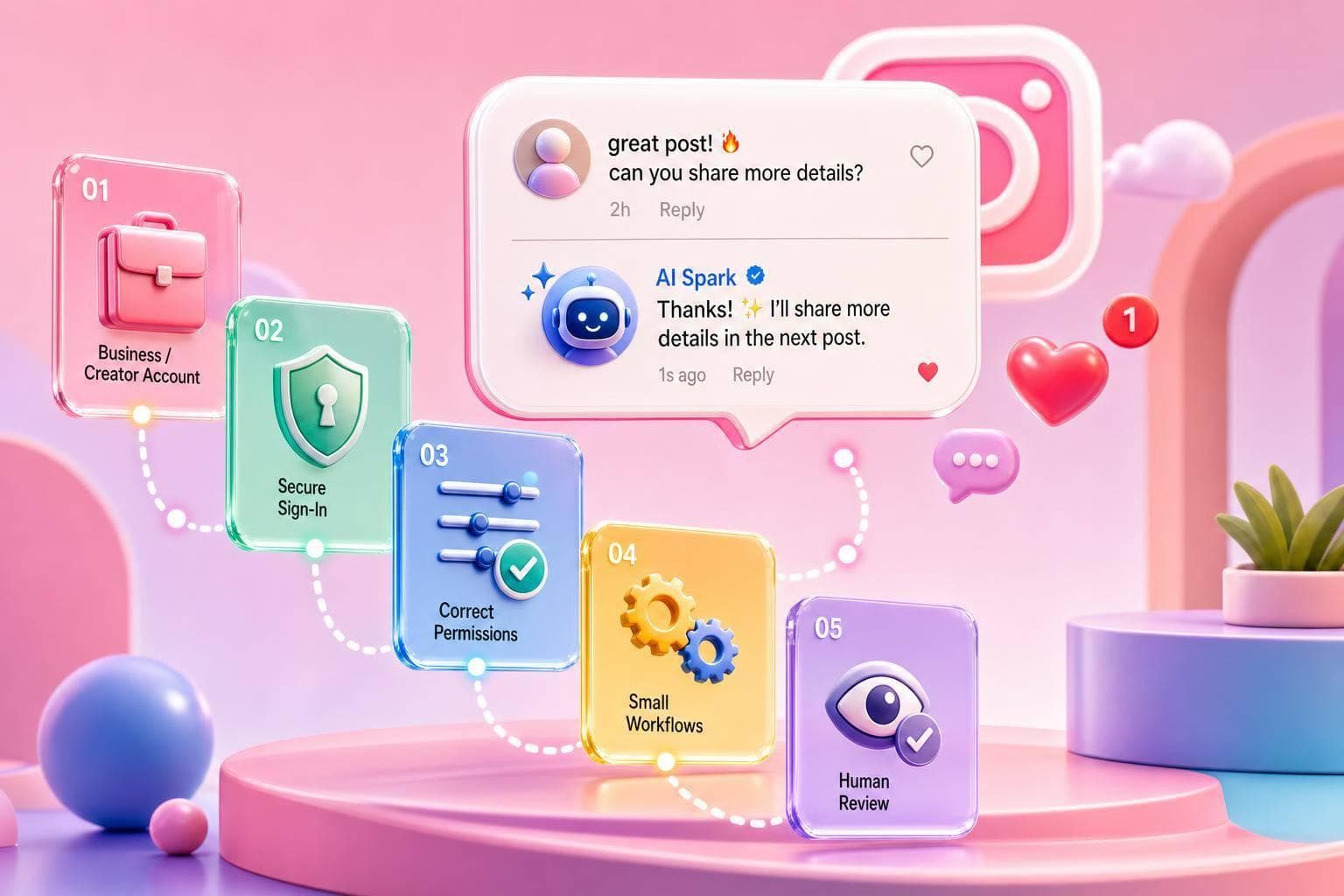
Want AI to reply to Instagram comments without risking your account? In 2026, the safe setup is simple: use a Business or Creator account, link a Facebook Page, connect through Meta OAuth, approve the right permissions, and start with a small workflow that replies to common questions, sends DMs when needed, and routes risky comments to a person.
Here’s the short version in plain English:
instagram_manage_comments for public repliesinstagram_manage_messages if comments trigger DMsA good setup does three jobs at once: it keeps replies on-brand, cuts down repeat work, and helps move high-intent people into DMs. The main idea is simple: automation sees the comment; AI writes the reply; rules decide what gets posted.
This guide walks through setup, reply paths, safety checks, testing, and how creators, brands, and agencies use these flows day to day.
Before your AI comment reply workflow can do anything, three things need to be in place: the right Instagram account type, a linked Facebook Page, and approved Meta permissions. Those permissions are what let the tool monitor comments and send replies. If even one piece is missing, the tool won’t be able to read comments or post a response.
Once that setup is done, the workflow can monitor comments and reply in a safe way.
Personal Instagram accounts can’t use the official Meta APIs for comment replies. So the first move is simple: switch to a Business or Creator account.
Go to your Instagram profile, tap the three-line menu, open Settings, and find the option to change your account type.
You’ll also need to link a Facebook Page that you manage and make sure you have Admin access. Meta uses that Page as part of its access flow for API tools. If you’re an agency setting this up for a client, check Page roles with the client before you go any further. It saves a lot of back-and-forth later.
Note: Brands and agencies that rely heavily on automation often prefer Business accounts over Creator accounts. Some Creator accounts have less consistent comment access, so Business accounts are often the safer choice for full coverage.

When you connect an AI reply tool, it should send you to a Meta or Facebook Business login screen. That OAuth flow is the safe, compliant way to grant access. Use Meta OAuth only.
During setup, approve only the permissions the workflow needs. For public comment replies, instagram_manage_comments is the main one. If your workflow also sends DMs triggered by comments - for example, a person comments a keyword and gets a PDF link in a DM - you’ll also need instagram_manage_messages. Access to profile and media data usually uses instagram_business_basic.
The key point: comment permissions and message permissions are separate. One does not cover the other.
Also, connect only one automation platform per Instagram account. Using more than one tool can lead to API conflicts, duplicate triggers, and a higher chance of rate-limit issues. In plain English, things can get messy fast.
Before you build a single workflow, run through this quick check:
instagram_manage_comments approvedinstagram_manage_messages approved if DMs are part of the flowIf the tool’s dashboard still can’t read incoming comments after setup, the most common fix is to switch to a Business account and re-authorize.
With your account connected and permissions approved, you’re ready to build the workflow. Start small: one trigger, one prompt, and one reply path. Add more only after the first version works.
The trigger is the starting point: a new comment is posted on your Instagram post or Reel. Begin with posts that already attract repeat questions you want to handle automatically.
Your first call is scope. You can watch all posts or limit the workflow to a small set. For a first build, keep it tight. The best posts are the ones that already pull in steady comment volume and repeat the same questions again and again - product launch posts, evergreen lead magnets, FAQ-style posts, or high-traffic Reels.
Here’s a simple rule of thumb: if a post gets 50+ comments on a regular basis, and a big chunk of those comments ask the same two or three questions, it’s a good pick. Reels tend to drive the most comments across follower sizes, so they’re often the best place to start.
Skip posts tied to sensitive topics like health claims, financial advice, or anything likely to spark complaints. Those need a person in the loop.
Choose posts with repeat questions so the workflow handles actual volume, not random chatter.
Once the trigger fires, the workflow sends the comment data into an AI prompt. This part matters more than people think. If your prompt is vague, the reply will sound flat and generic. If it’s specific, the reply will sound much closer to your brand.
Include the comment, username, post caption, and brand voice in the prompt: friendly, concise, professional, U.S. English, and no unsupported claims.
Then decide where the reply should go. The best channel depends on what the person is asking.
A public message like Sent you a DM with all the details! can work well when paired with a longer private reply. Use comment-to-DM flows when one comment should trigger that private follow-up.
Public replies help with visibility. DMs handle the extra detail.
Before you go live, test the workflow with controlled comments on one post. Don’t skip this. A short test now can save you from an awkward public mistake later.
Try three sample comments:
Watch the full path. Make sure the trigger fires, review the AI-generated text before it publishes, and confirm the reply appears under the correct comment thread, not as a separate comment.
Focus on three common problems: duplicate replies, broken formatting, and bad routing. Also test failure cases. If the AI times out or the network drops in the middle of the flow, the workflow should fail closed if the AI times out or errors.
Once those three test comments produce clean replies, land in the right place, and don’t create duplicates, the workflow is ready for live traffic.
After that, lock in your tone, keyword rules, and review limits.
Once the workflow is live, you need rules for three things: what gets answered, how replies sound, and when a person steps in.
Use four layers: keyword rules, post-level rules, AI intent detection, and fallback replies.
Start with keyword rules for the questions you see all the time. Terms like "price", "cost", "how much", "shipping", or "link" can go straight to pre-written replies. This is fast to set up and easy to predict, which makes it a good fit for FAQs and buying-related questions.
For campaigns, add post-level rules. If you're running a giveaway and asking people to comment "ENTER", that post needs its own logic. For example: "You're in! Follow our account and watch your DMs for winner announcements." These post-level rules can override or add to your account-wide rules for that one post.
Then there's AI intent detection for fuzzier comments. Someone might say, "this looks kinda pricey tbh." They didn't use your exact keyword, but the meaning is obvious. AI can catch that and send it down the right reply path. This works well for complaints, praise, and casual back-and-forth that doesn't follow a neat pattern.
You also need a fallback for anything that doesn't match. A good fallback should sound human, not stiff. Something like: "Thanks for your comment - our team will follow up shortly."
| Logic Type | Best Use Case |
|---|---|
| Keyword-Based | Pricing, links, and FAQs |
| AI Intent Detection | Complaints, praise, and casual chit-chat |
| Post-Level Rules | Giveaways, product launches, and contests |
| Fallback Replies | Unexpected or unmatched comments |
Tone rules help every reply sound like it came from the same brand, even when the system is doing the work in the background.
Write out your tone profile before building templates. For most U.S.-based creators and brands, a strong starting point is: friendly, concise, plainspoken U.S. English, no slang, few or no emojis, and 1–2 sentences unless the question needs more. That keeps public replies from turning into long, bot-like paragraphs.
It also helps to build a short phrase bank of approved CTAs and common responses. Lock in lines like "Check the link in our bio" or "Send us a DM and we'll be happy to help" so people get the same next step every time.
If you manage more than one account, keep a separate tone profile for each client. A beauty creator may want something like "Friendly, upbeat, occasional emojis." A financial brand will usually need "Professional, precise, no emojis, clear disclaimers where needed." Same system, different voice.
Safety rules keep fast automation from making a mess when things get tense.
Start with rate limits so replies don't fire off in spammy bursts. In some setups, teams cap automated comment replies at around 30 per hour per account to reduce spam-like behavior during busy periods. Use one reply per thread too, so the system answers once and doesn't keep jumping back into the same conversation.
Next, add a blocklist for high-risk terms. Comments about refunds, legal threats, medical emergencies, or abusive language should never get an automated reply. Put sentiment detection on top of that. If someone says, "My order still hasn't arrived and I'm furious", that's a people problem, not a template problem.
For new templates or high-stakes campaigns, use a human review queue. Let AI draft the reply, but hold it for approval before it goes live. That's a smart move during the first rollout, when you're still pressure-testing the rules.
Also add self-comment filtering to block your own comments and team comments from retriggering the workflow. Miss this step, and you can end up with awkward loops that make the whole setup look broken.
| Safety Mechanism | What it does |
|---|---|
| Rate Limiting | Prevents spammy reply bursts. |
| One Reply Per Thread | Prevents repetitive replies to the same thread. |
| Blocklists | Stops risky terms or topics from auto-triggering. |
| Sentiment Detection | Flags negative or emotional comments for human handling. |
| Escalation Rules | Routes sensitive issues to the right person or team. |
| Human Review Queue | Holds new or sensitive replies for human approval before posting. |
| Self-Comment Filtering | Blocks team and moderator comments from retriggering automation. |
With logic, tone, and safety set, the workflow is ready for use.
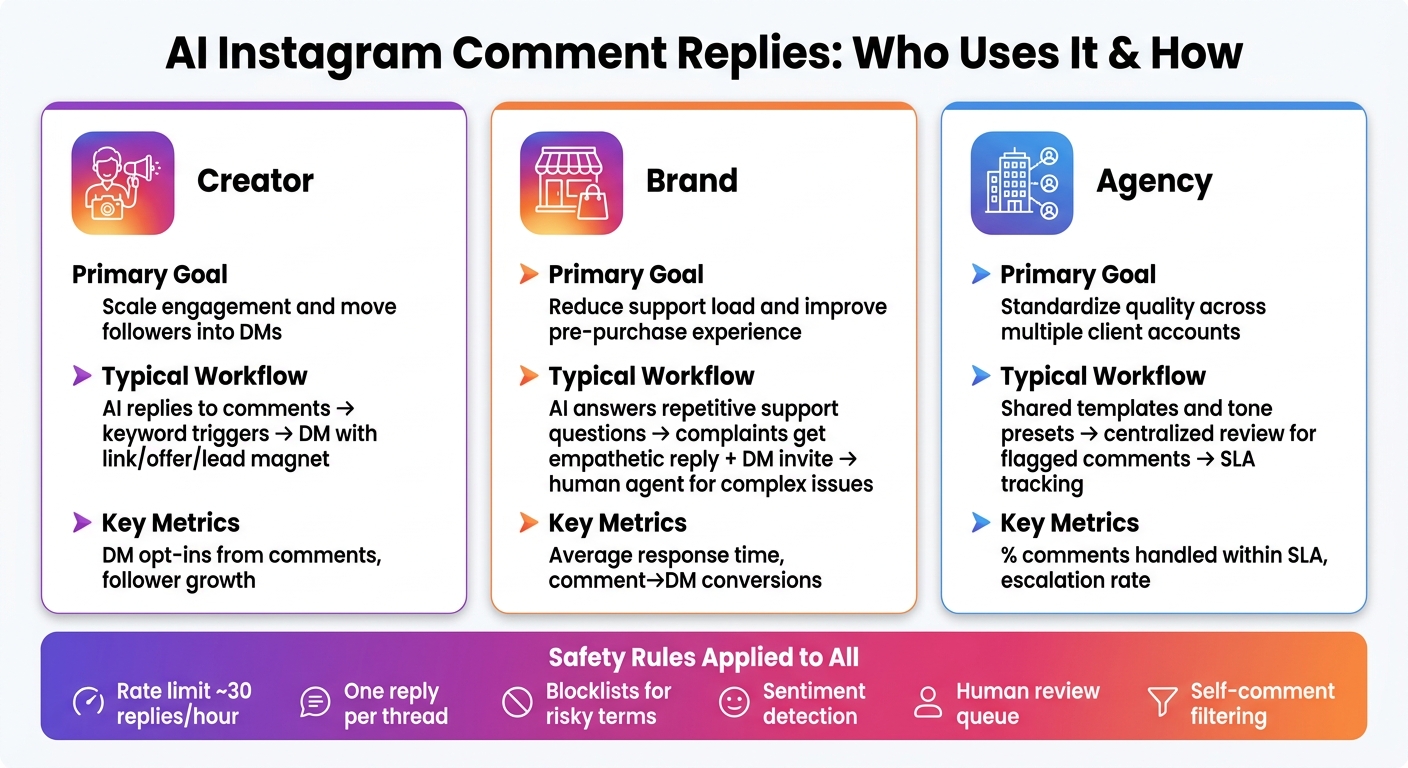
AI Instagram Comment Replies: Creator vs Brand vs Agency Workflows
Once your logic, tone, and safety rules are set, the next move is simple: fit AI replies into the way your team already works every day, and track the numbers that matter. The same system can work for creators, brands, and agencies, but each group uses it in a different way.
How you use AI replies depends a lot on your role.
Creators usually deal with a flood of comments across posts and Reels. Their biggest win often comes from using comment triggers to move interested followers into DMs. For example, a keyword in a comment can send a DM with a resource, plus one follow-up question to qualify the lead. It’s a simple handoff, and it keeps momentum going.
Brands usually get the best return by turning comment threads into a pre-purchase step. AI can handle repeat support and pre-purchase questions, while human agents step in for more complex or higher-value conversations. That split helps move buyers closer to a purchase.
Agencies tend to get the most out of using one shared setup across many client accounts. They can keep tone, templates, escalation rules, and reporting aligned from one central place.
| Stakeholder | Primary Goal | Typical Workflow | Key Metric |
|---|---|---|---|
| Creator | Scale engagement and move interested followers into DMs | AI replies to comments; keyword triggers send DMs with links, offers, or lead magnets | DM opt-ins from comments; follower growth |
| Brand | Reduce support load and improve the pre-purchase experience | AI answers repetitive support questions; complaints get an empathetic reply plus a DM invite | Average response time; conversions from comment→DM flows |
| Agency | Standardize quality across client accounts | Shared templates and tone presets; centralized review for flagged comments | % of comments handled within SLA; escalation rate |
Track the result that lines up with your goal.
The main metrics to watch are:
For creators and growth-focused brands, it also makes sense to watch follower growth on posts where AI replies are active.
Start small. Use a limited set of posts, clear keyword triggers, and a defined tone profile. Keep Meta-approved permissions in place, and leave a human review queue active for anything sensitive.
Then look at the first batch of results and tighten the rules. Check reply samples every week at the start, adjust based on what people are actually saying, and expand only when the logic is working the way it should. The aim is faster, more consistent engagement as the account grows.
Yes, but only through tools that use Meta’s official Instagram Graph API.
These tools can automate context-aware replies with if-then rules, your brand tone, and past engagement. That means the system can handle common comment patterns without sounding off-brand or random.
AI is best for routine comments at scale. People should still step in for complex or sensitive replies, especially when tone, context, or customer frustration is in play.
Unofficial bots that mimic human behavior can put your account at risk of suspension.
Use tools that connect through the official Instagram Graph API, not browser-based bots or extensions. OAuth lets you connect without sharing your Instagram password.
Give each tool only the permissions it needs to do its job, whether that’s messaging, posting, or analytics. Steer clear of permissions linked to scraping follower data or sending unsolicited messages. Turn on two-factor authentication, and use role-based access so team access stays under control.
Move the conversation to a private DM when the issue is complex, sensitive, or high priority.
Public comment threads are fine for simple questions. But once a situation involves personal details, frustration, or back-and-forth that needs care, it’s better to take it private. That gives you more room to respond clearly and helps the customer feel heard.
AI can handle routine FAQs and first replies well. But complaints, edge cases, and nuanced questions often need a human touch. Make sure people have a clear path to reach a live agent when the situation calls for it.