
How to Use Instagram’s ‘Trial Reels’ Feature to Test Content Before Posting
Learn how to leverage Instagram's Trial Reels feature to test content with non-followers and refine your strategy without impacting your profile.
Learn how to leverage Instagram's Trial Reels feature to test content with non-followers and refine your strategy without impacting your profile.
Instagram's Trial Reels feature lets you test content with non-followers before sharing it with your main audience. It’s a low-risk way to experiment with ideas, formats, or styles without affecting your profile grid or follower engagement. Here’s what you need to know:
This tool helps creators refine their content strategy, test ideas safely, and boost engagement without disrupting their existing audience. Want to get started? Switch to a professional account, create a Reel, and toggle the "Trial" option during posting.
Now that you know the perks, it's time to set up your account and get started with Trial Reels.
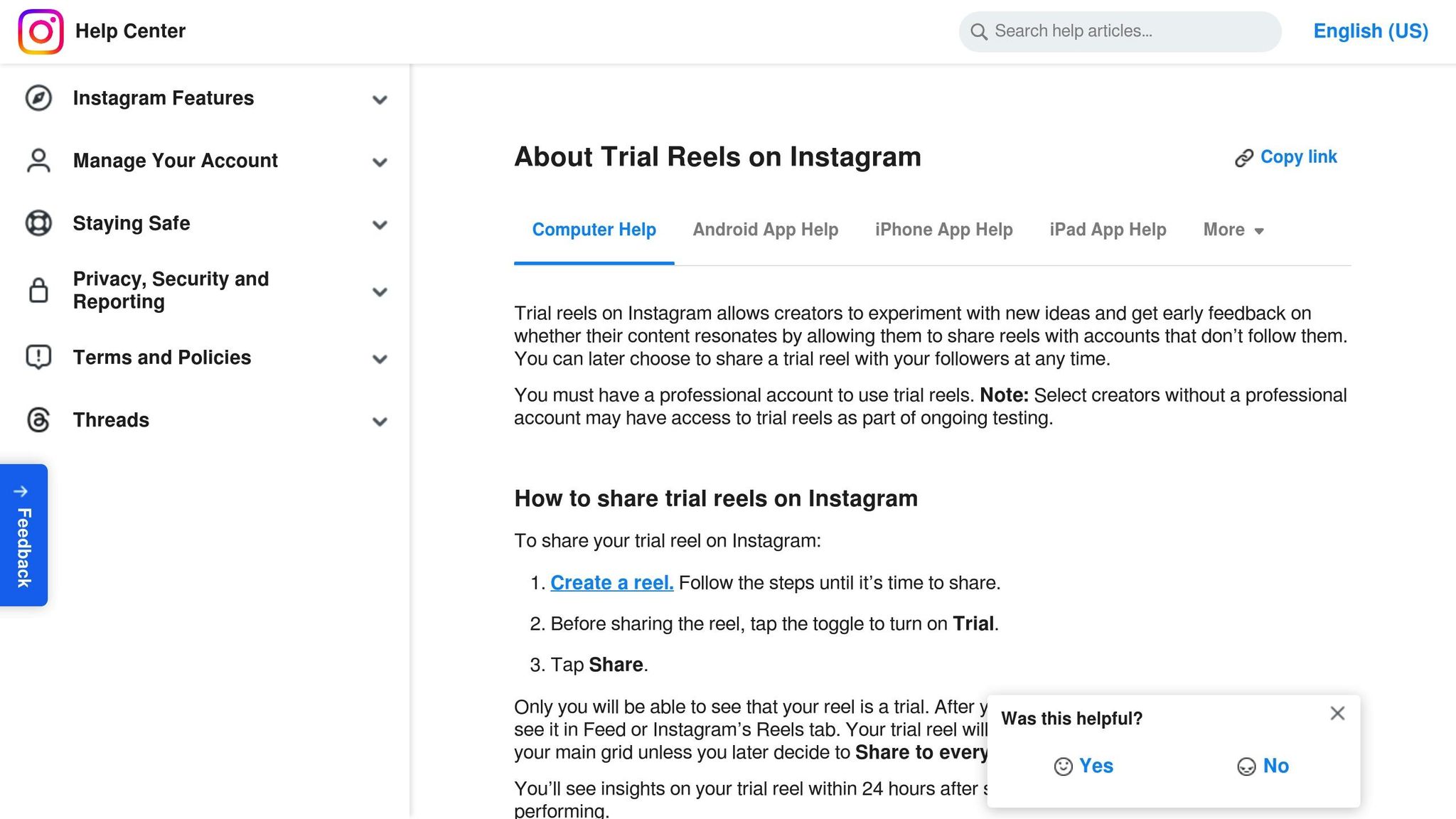
Trial Reels on Instagram are only available for professional accounts (Business or Creator). If you’re using a personal account, you’ll need to switch.
To check your account type, head to Settings and Privacy > Account. If you see the option to "Switch to Professional Account", you’ll need to upgrade before you can access Trial Reels.
Here’s how to get started:
"Trial Reels allow you to post a reel just to accounts that do not follow you, and then you can decide if it does well if you want to upgrade it to your followers and to your profile." - Adam Mosseri, Head of Instagram
After completing these steps, tweak your basic settings to finalize the setup.
Trial Reels focus on three main settings:
| Setting | What It Does | Suggested Option |
|---|---|---|
| Audience Selection | Decides who sees your trial reel | Set to non-followers |
| Performance Tracking | Tracks engagement stats | Viewable after 24 hours |
| Auto-Share Rules | Publishes content to all followers automatically | Use a 72-hour engagement threshold |
Pay close attention to the auto-share feature. If turned on, Instagram will automatically share your reel with all your followers if it performs well within the first 72 hours. You can adjust this setting for each reel before posting.
Note: Trial Reels won’t appear on your profile grid or feeds but could still show up in direct messages, shared audio, or location tags. Choose your test content wisely!
Here's a straightforward guide to creating and testing your first Trial Reel on Instagram.
Follow these steps to get started:
Once you've completed these steps, your account is ready for testing.
"Trial reels allow you to post a reel just to accounts that do not follow you, and then you can decide if it does well if you want to upgrade it to your followers."
– Adam Mosseri, Head of Instagram
Data suggests that certain types of content tend to work better for Trial Reels. Here's a breakdown:
| Content Type | User Preference | Best Practices |
|---|---|---|
| Funny Content | 50% of users | Add humor that appeals to a broad audience. |
| Creative Posts | 46% of users | Highlight fresh perspectives or inventive ideas. |
| Informative Content | 41% of users | Share helpful tips or insights your audience can use. |
Try experimenting with engaging hooks or tapping into trending topics to see what resonates most with your test audience.
When you're ready to post, follow these steps:
"Trial Reels allow you to test engagement before making a final decision, minimizing the risk of underperforming content affecting your profile metrics", explains Nicholas Thackray from Phable.io.
Once posted, monitor your insights dashboard after 24 hours to evaluate performance.
Wait at least 24 hours before analyzing these key metrics in your Insights dashboard:
| Metric | What It Measures | Why It Matters |
|---|---|---|
| Watch Time | Average time viewers spend watching | Indicates viewer retention |
| Sends | Number of times your reel is shared | Reflects shareability |
| Likes | Total likes received | Shows audience appeal |
| Unique Reach | Number of unique viewers | Tracks content distribution |
| Replays | Number of repeat views | Highlights rewatch value |
These metrics help you compare your Trial Reel's performance to past tests and identify trends.
To get a clear picture of your performance, compare your current results with past Trial Reels. Keep in mind that Trial Reels often have different visibility settings than regular Reels.
Here's how to interpret the data:
Use the insights from your metrics to refine your content strategy. For instance, a February 2025 study tested different audio formats, revealing that trending audio led to 24% more views than voiceover content, and 33% more than ASMR-style audio.
| Audio Type | View Rate Compared to Baseline | Performance |
|---|---|---|
| Trending Audio | +24% | Best performer |
| Voiceover | Baseline | Average |
| ASMR | -7% | Lowest engagement |
To enhance your Trial Reels:
"Trial reels provide a low-risk way to test creative ideas or unconventional content styles without the pressure of immediately sharing them with your followers." - Kapwing
Keep an eye on your Trial Reel for at least 24 hours to evaluate its performance. Based on the results, decide if it's ready to be shared with a wider audience. Initially, Trial Reels are displayed only to non-followers.
When you're ready to expand your Reel's audience, consider these tips to improve its reach and interaction:
After reviewing your Trial Reel's performance, take advantage of Instagram's automated publishing options. If your Reel performs well within the first 72 hours, you can activate automatic sharing to all followers. Go to your Trial Reel insights and choose between manual or automatic sharing. For high-performing Reels, enabling automatic sharing can save time and simplify your process.
Let’s sum it up:
Trial Reels offer a smart way to test content on Instagram without exposing experiments to your main audience. This helps creators fine-tune their strategy while maintaining strong connections with their followers. It’s a game-changer for testing and improving content before sharing it widely.
Studies show that content polished through Trial Reels often performs better, giving creators the confidence to make informed, data-backed decisions. To succeed with this tool, focus on clear goals, stick to 24-hour analysis windows, and carefully compare your test results.
"To get value from trial reels, you need to get crystal clear on what you want to know"
Share this post


